WooCommerce
Connect your WordPress shop with a REST API key — read and write in a couple of minutes.
How it works
Shelfshoot connects to WooCommerce over the REST API using a consumer key and secret. We find the product by its SKU and place the finished image straight onto the item in WordPress.
Set up WooCommerce
- In WordPress admin, go to WooCommerce → Settings → Advanced → REST API.
- Click ‘Add key’. Set a description (e.g. Shelfshoot), pick a user, and set Permissions to Read/Write.
- Click ‘Generate API key’ and copy the Consumer key (
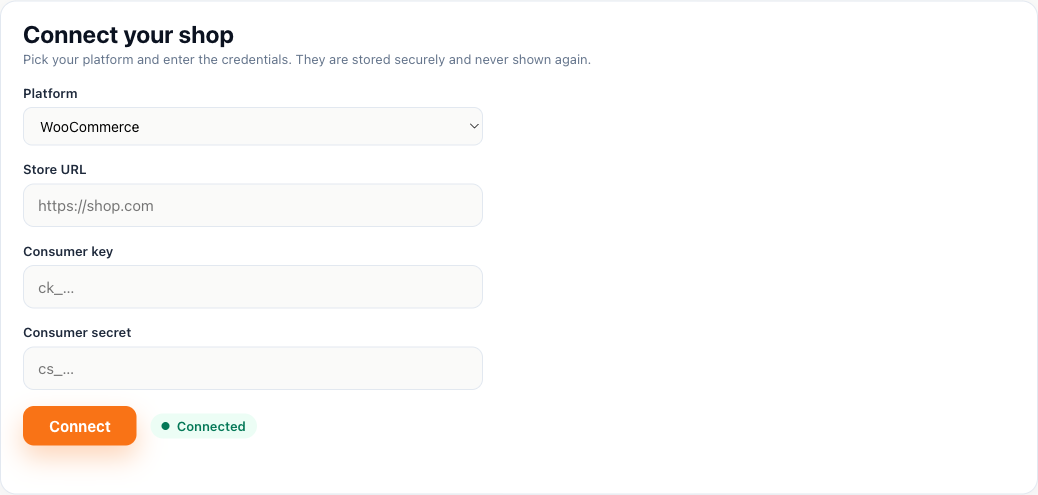
ck_…) and Consumer secret (cs_…) — they're shown only once. - In the Shelfshoot portal choose WooCommerce and enter your store URL, consumer key and consumer secret.
Connect in Shelfshoot
Open the Integration tab in the portal, pick WooCommerce, and paste the three values. We verify the connection right away.
Stuck? We are happy to help you connect — just reach out.